Key Takeaways
- Secure disposal should address both paper records and data-bearing devices.
- A retention schedule should guide destruction decisions before a cleanout begins.
- Convenient locked collection points help employees follow the process consistently.
- Simple approval and destruction records improve accountability.
- New Hampshire offices can build a practical program without creating unnecessary complexity.
From Manchester professional offices to healthcare practices in Concord and small businesses throughout the Granite State, confidential information can accumulate quickly. Printed invoices, client intake forms, payroll paperwork, misprints, and retired laptops all need a planned path out of the workplace. Organizations handling aging devices may also consider mobile hard drive shredding NH as part of a broader approach to protecting stored information.
A formal disposal plan does more than reduce clutter. It gives employees a clear answer when they ask whether a document should be filed, scanned, recycled, retained, or destroyed. Without that clarity, a printed customer form beside a shared printer or a discarded label in an open bin can expose details that were never intended for public view.
Why a Formal Plan Matters
Secure disposal supports records management, privacy practices, and a more orderly workplace. Sensitive material can appear in obvious places, such as personnel files and contracts, but it also appears in handwritten meeting notes, printed emails, envelopes, shipping labels, and draft reports. A sound process treats information according to its content, not simply its format or the size of the paper.
New Hampshire businesses also benefit from making secure disposal part of normal operations rather than waiting for annual storage-room cleanouts. Regular handling is easier to supervise, gives staff fewer opportunities to improvise, and prevents expired records from piling up in cabinets, closets, and unused office corners.
For offices with a disposal policy still in process, start with a straightforward written procedure that identifies what needs protection, who approves destruction, and where employees should place materials awaiting collection.
Start With a Record Inventory
Before destroying anything, list the records each department creates, receives, and stores. The inventory does not need to be elaborate. Its purpose is to reveal where the highest-risk information lives and who is responsible for it.
- Customer, patient, student, or client information
- Employee, payroll, and benefits records
- Banking, payment, and tax materials
- Contracts, legal files, and business plans
- Health, insurance, or identification records
- Hard drives, USB devices, memory cards, discs, and backup media
For each category, ask: Who uses it? Where is it stored? How long must it be kept? Who can authorize destruction? Those answers make it much easier to prioritize filing rooms, finance workspaces, human resources areas, and shared printers.
Create a Clear Retention Schedule
A full storage room is not, by itself, a reason to destroy records. Retention periods may be affected by contracts, tax obligations, industry requirements, internal policies, litigation, or an investigation. Assign records to three simple groups: keep for a defined period, review before extending retention, or destroy after approval.
Any legal hold or active business need should pause routine destruction for affected material. Review the schedule at least annually and whenever the organization relocates, merges, changes software, adds a new service, or adopts new privacy responsibilities.
Decide What Requires Secure Disposal
Ordinary trash and open recycling bins should not receive documents containing personal, financial, medical, employment, legal, or confidential business information. Common examples include account forms, old identification copies, printed passwords, draft agreements, client notes, pay records, and pages with names and addresses. Even a small scrap may become sensitive when combined with other papers.
Include Digital Storage Devices
Deleting a file is not always the same as making stored data unrecoverable. Retired computers, external drives, USB devices, phones, memory cards, and backup media should be reviewed by the IT team before reuse, recycling, donation, or destruction. Data sanitization describes the process of removing or rendering stored information unrecoverable through an approved method.
Confirm that the device has been removed from company systems, required backups remain available, cloud accounts are handled correctly, and the chosen method fits the sensitivity of the information. Reuse may be appropriate in some cases, while physical destruction may be appropriate for media containing highly confidential data.
Make Secure Collection Easy
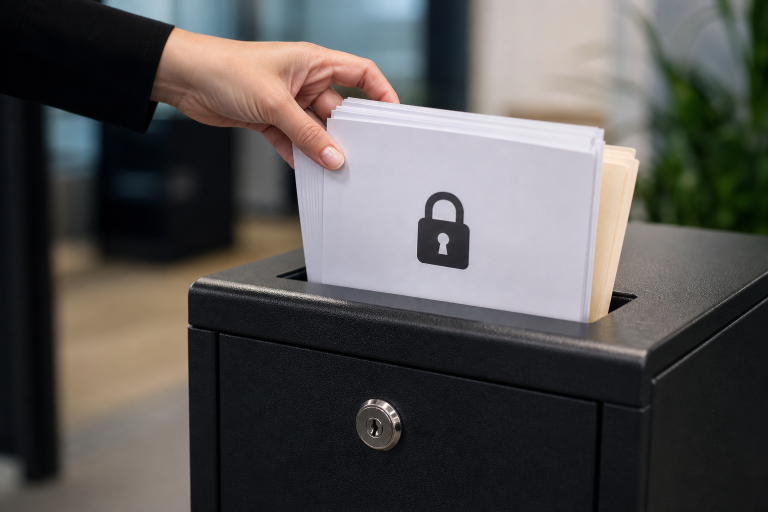
Employees are more likely to follow the procedure when secure collection is convenient. Locked consoles or central containers generally offer more control than desk-side wastebaskets or open bins. Place them near printers, copiers, mailrooms, reception desks, finance areas, human resources workspaces, and shared filing locations.
Use plain labels that explain what belongs inside. A brief instruction, such as “confidential paper only,” can be more useful in a busy office than a lengthy policy posted where no one reads it.
Set Practical Employee Rules
Training should give every employee a short daily routine: identify sensitive material, place it in the right secure container, retrieve abandoned printouts promptly, report misplaced documents, and escalate unusual disposal requests. Include these expectations in onboarding, then revisit them during annual policy refreshers. Managers can reinforce the process by checking that collection points are used correctly and that unsecured paper does not accumulate around shared equipment.
Build a Controlled Destruction Process
- Identify records that have reached the end of their approved retention period.
- Check for legal holds, audits, investigations, or continuing business needs.
- Move approved paper or devices into a secure collection process.
- Record the date, department, material type, and approving person.
- Use a destruction method appropriate to the material and its sensitivity.
- Keep the completion record in a controlled location.
A documented chain of custody helps an organization show how material moved from use to final destruction. The IRS media sanitization guidelines also illustrate why organizations handling sensitive information should use controlled procedures for retired media.
Know When In-House Shredding Is Not Enough
A personal office shredder may work for occasional pages, but it can fall short when paper piles remain for weeks, machines jam frequently, staff bypasses the shredder, or no one can confirm what was destroyed. The same concern applies when storage devices are placed in ordinary electronics recycling. Larger volumes, remote locations, audit needs, or limited staff capacity may call for a more structured collection and destruction arrangement.
Review the Program Every Year
Review collection locations, training completion, equipment issues, destruction logs, missed documents, and changes in record volume each year. Secure disposal works best when it becomes a daily habit: identify sensitive records, retain them for the right period, provide convenient collection points, address digital media, and document approved destruction. That approach can help New Hampshire offices protect the information entrusted to them while keeping workspaces manageable.